
Transformez votre logo pixellisé en SVG net. 100% local.
Un logo qui s'effondre dès que vous l'agrandissez ? VectorPop le retrace en vectoriel propre et éditable, sur votre machine. Pas de cloud, pas d'abonnement.
Via le Microsoft Store — signé par Microsoft, sans avertissement de sécurité ni carte bancaire




Glissez la poignée pour comparer
Présentation de VectorPop
Une courte présentation de l'idée derrière VectorPop et de ce qu'il fait pour vous.
Flou dès que vous l'agrandissez ?
Un logo enregistré en PNG a une taille figée. Agrandissez-le pour une enseigne, un tee-shirt ou un kakémono, et les bords partent en bouillie. L'imprimeur réclame du vectoriel, le graphiste est injoignable, et le fichier source a disparu depuis longtemps.
VectorPop le redessine proprement, en trois étapes :
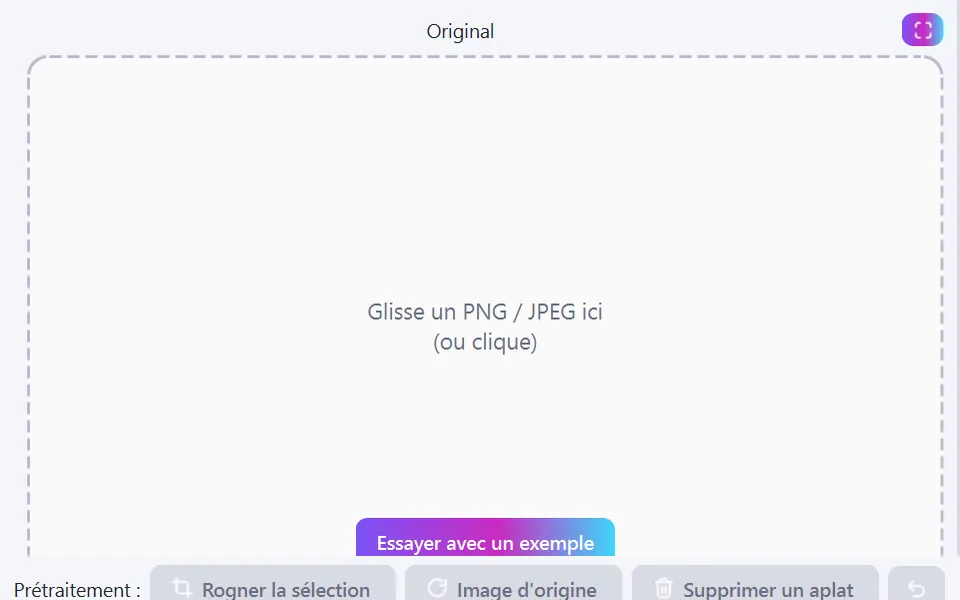
Glissez votre PNG ou JPEG (ou collez une capture d'écran)
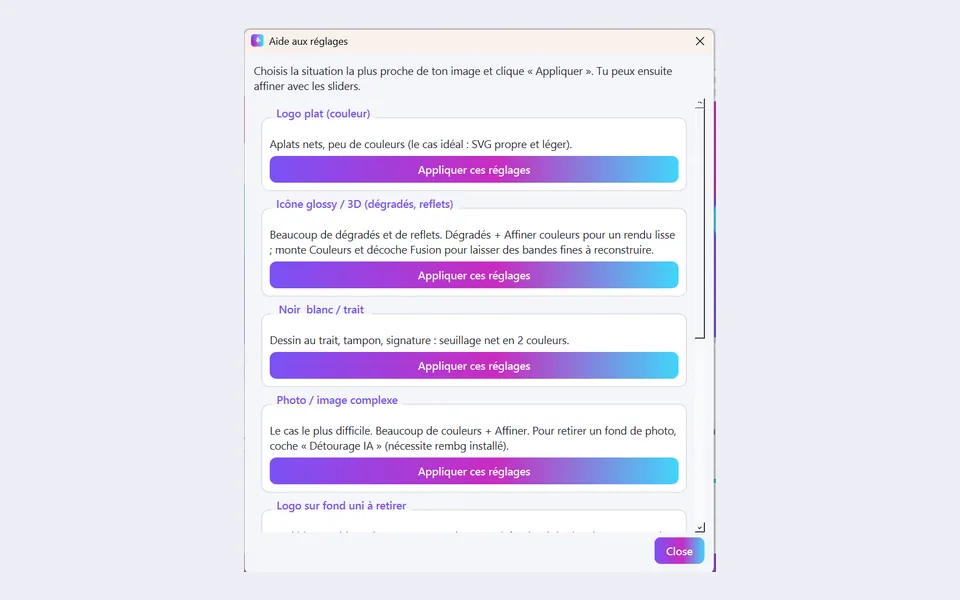
Choisissez un preset — l'aperçu se met à jour pendant que vous réglez
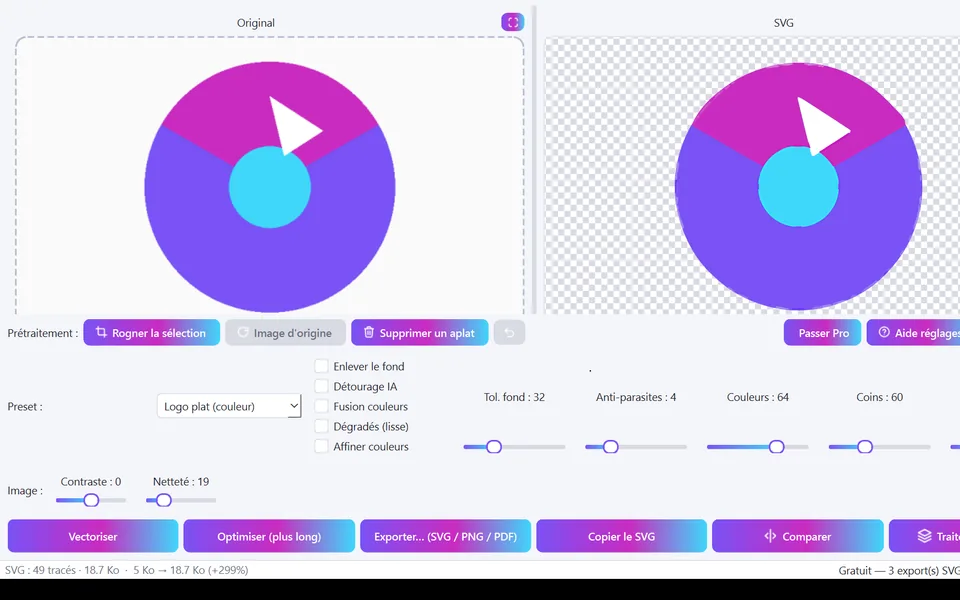
Exportez un SVG propre, prêt pour l'impression
Comment convertir un PNG en SVG ?
Trois étapes, sans diplôme de graphiste.
Déposez votre image
PNG, JPEG, BMP, WEBP — ou collez directement depuis le presse-papiers.
Choisissez un preset
Logo plat, logo détaillé, ou noir & blanc au trait. Tous les réglages restent accessibles.
Exportez votre SVG
Des tracés propres et éditables — ouvrez-les dans Illustrator, Inkscape ou Figma.
Tarifs simples et transparents
Commencez gratuitement. Passez Pro quand vous en avez besoin.
Gratuit
- Vectorisation illimitée
- 5 exports SVG inclus pour démarrer
- Tous les presets et réglages
- Aperçu libre des fonctions Pro (IA, netteté)
- Windows & Linux
Pro
Payez une fois. Utilisez à vie.
🎉 Offre de lancement — -30% pour les 20 premiers clients
LANCEMENT30appliqué automatiquement au paiement
≈ 27,30 € au lieu de 39 €
- Exports illimités
- Export PDF vectoriel et PNG haute définition
- Détourage IA (fonds photo, dégradés)
- Réglage automatique en un clic
- Suppression d'aplats au clic
- Traitement par lot
- Mises à jour incluses pendant 12 mois
- Support prioritaire
⭐ Comparatif : Vectorizer.AI 9,99 $/mois · Vector Magic Desktop 295 $ · VectorPop Pro = 39 € une seule fois
Pourquoi VectorPop plutôt qu'un vectoriseur en ligne ?
100% local, privé & RGPD
Le logo d'un client, une planche de marque avant sortie : ça ne s'envoie pas sur le serveur d'un inconnu. VectorPop n'expédie pas un seul pixel. Et ça marche dans le train.
Paiement unique, à vie
Vous avez besoin d'un vectoriseur deux fois par an, pas deux fois par jour. Payer 9,99 $ à chaque fois que vous vous réabonnez, ça chiffre vite. VectorPop : 39 €, une fois, à vie.
Le bon réglage sans être graphiste
Trois presets qui couvrent les cas qui reviennent vraiment, un aperçu live pour voir le tracé avant de valider, et le réglage automatique quand vous préférez ne pas y penser du tout.
Comparatif · juillet 2026
Local, simple, et sans abonnement — les trois à la fois
Les vectoriseurs en ligne vous font uploader vos visuels et payer tous les mois. Inkscape est gratuit et local, mais son tracé est enterré dans une boîte de dialogue pleine de jargon. VectorPop est celui qui coche les trois cases.
- 100% local
- Sans abonnement
- Presets & auto
- 100% local
- upload requis
- Sans abonnement
- Presets & auto
- 100% local
- Sans abonnement
- Presets & auto
- 100% local
- Sans abonnement
- Presets & auto
- prise en main longue
- 100% local
- Sans abonnement
- Presets & auto
- dialogue jargonneux
- 100% local
- upload requis
- Sans abonnement
- Presets & auto
- aucun contrôle
| 100% local | Sans abonnement | Presets & auto | Prix | |
|---|---|---|---|---|
VectorPopNotre app presets + aperçu live + réglage auto | 39 € une fois | |||
Vectorizer.AI | upload requis | 9,99 $/mois | ||
Vector Magic Desktop Edition | 295 $ une fois | |||
Adobe Illustrator Vectorisation dynamique | prise en main longue | ≈ 290 €/an | ||
Inkscape Vectoriser le bitmap | dialogue jargonneux | gratuit | ||
Outils en ligne gratuits | upload requis | aucun contrôle | gratuit |
Comparatif établi en juillet 2026 d'après les informations publiques des éditeurs (Adobe Illustrator = abonnement mono-app, hors Creative Cloud complet). Offres, limites et tarifs susceptibles d'évoluer. Inkscape et Vector Magic sont d'excellents outils — ils font simplement d'autres compromis.
“J'ai créé VectorPop parce que j'avais un logo en PNG, un imprimeur qui réclamait du vectoriel, et aucune envie ni d'envoyer mon travail sur un serveur inconnu, ni de payer un abonnement pour un besoin qui revient trois fois par an.”
Votre imprimeur réclame un fichier vectoriel ?
Enseigne, broderie, sérigraphie, découpe laser, kakémono : tous demandent du SVG ou du PDF vectoriel. VectorPop vous donne les deux à partir du PNG que vous avez déjà.